High-Conversion Website Audit Checklist for Business Owners
High-Conversion Website Audit Checklist for Business Owners
If your goal is more qualified leads from the website, run a focused conversion audit that finds blockers, ranks fixes by impact and effort, and restores accurate measurement so you can test with confidence. This guide gives a repeatable two-pass process, practical checks you can run yourself, and a prioritization framework to turn findings into action.
Intent and outcome — what this audit delivers
When we say “high-conversion” we mean a website that converts a larger share of qualified visitors into contacts, phone calls, bookings, or purchases without increasing traffic. Run this audit to accomplish four outcomes: remove blockers that prevent conversions, reduce friction in the path to action, align messaging with visitor intent, and restore reliable analytics so improvements are measurable.
How to run the audit: the two-pass approach
- Surface triage (30–60 minutes) — find and fix immediate blockers: broken forms, missing CTAs, mobile showstoppers, or a completely missing thank-you flow.
- Deep page audit (2–6 hours) — page-by-page checks for your highest-traffic and highest-value pages: homepage, pricing/service pages, top blog posts, and contact/checkout flows.
- Score each finding: Pass / Needs improvement / Fail. Capture screenshots, assign an owner, and set target dates. Treat Fail items that block revenue as urgent.
Surface checks — quick wins to run first (30–60 minutes)
Do these checks on desktop and mobile. They often produce immediate uplift and help avoid wasting time on low-impact work.
1. Primary goal and CTA clarity
- Is the primary conversion (contact form, request a quote, booking, buy button) obvious within 5 seconds?
- Count CTAs above the fold. If there are more than two distinct goals, consolidate. Too many choices reduce conversions.
2. Headline and value proposition
- Does the hero headline answer: who you serve, the problem you solve, and the next action? Plain language beats buzzwords.
- If you read the headline out loud, would a prospective customer understand the core benefit in five seconds?
3. Contact and trust signals
- Is a phone number or click-to-call visible on mobile and desktop? Is contact accessible in the header or persistent menu?
- Are trust cues (short testimonials, client logos, security badges, SSL lock) visible near CTAs and forms?
4. Mobile usability
- Try to complete the primary conversion on a phone. Note tiny tap targets, hidden menus, long forms, or required interactions that block progress.
5. Quick performance check
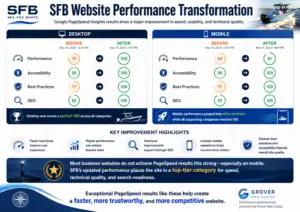
- Run a PageSpeed Insights or Lighthouse report on the homepage and one landing page. Record LCP and interaction delays; note the top three issues to fix.
Deep audit — page-level checklist and tests (2–6 hours)
Work page-by-page in order of traffic and conversion importance. Use the same checklist so results are comparable across pages.
6. Analytics and event tracking
- Confirm analytics captures conversions: form submissions, phone clicks, purchases, and key micro-conversions. If counts are off, fix tracking before experimenting.
- Check for duplicate or missing events in GA4 or your analytics stack and validate tag manager triggers.
7. Form UX and microcopy
- Submit every form and verify field-level errors, success page, and confirmation emails. Ambiguous or missing success messaging kills conversions.
- Minimize required fields, use inline validation, and add reassuring microcopy near sensitive fields (“We never share your info”).
8. Navigation and information scent
- Users should reach core content in 2–3 clicks. Replace vague menu terms with outcome-focused labels (e.g., “Web Design & Custom Development” instead of just “Services”).
- For ad or organic landing pages, ensure the page message matches the ad or search snippet—mismatch increases bounce rates.
9. Messaging match and landing page relevance
- Verify meta titles and descriptions match the page offer and CTA. The search snippet should reflect the promise on the landing page.
10. Social proof and credibility
- Use short, specific testimonials with names, roles, and photos when possible; link to full case studies for higher-ticket offers.
- Place security and compliance cues near forms or checkout pages to reduce abandonment.
11. Pricing and qualification
- When appropriate, show price ranges or starting prices to pre-qualify leads. Hidden pricing often pushes visitors to competitors.
- For custom work, outline the next steps and expected timeline so visitors know how to proceed.
12. Accessibility and readability
- Check logical heading order (H1 → H2 → H3), sufficient color contrast, and mobile font sizes. Accessibility improvements help users and search rankings.
13. Technical health and security
- Confirm SSL, scan for mixed content or console errors, and identify third-party scripts that block rendering or delay critical events.
14. Performance deep dive
- Audit hero images, sliders, and embeds; convert large images to modern formats, compress, and lazy-load non-critical media. Defer non-critical JavaScript.
- Measure mobile performance on slow network profiles—desktop success doesn’t guarantee a mobile-friendly experience.
15. Conversion funnel mapping and experiments
- Map the funnel: landing page → product/service page → contact/checkout → thank-you. Use funnel reports and heatmaps to identify drop-offs.
- Run small A/B tests for headline, CTA label, or hero image on high-traffic pages. Keep experiments simple and measurable over a meaningful timeframe.
Scoring rubric and prioritization worksheet
Use a simple impact/effort method to sort findings into a prioritized sprint plan.
- Assign Impact: 1 = Low, 2 = Medium, 3 = High.
- Assign Effort: 1 = Small, 2 = Moderate, 3 = Large.
- Priority Score = Impact × (4 − Effort). Higher scores come first (max 9).
Example: Broken contact form (Impact 3, Effort 1) → Priority 9. Large redesign (Impact 2, Effort 3) → Priority 2.
Prioritization matrix
| Priority | Fix Type | Why it matters |
|---|---|---|
| High | Broken forms, missing CTAs, payment errors, analytics failures | Directly prevents leads or destroys measurement |
| Medium | Slow mobile LCP, unclear pricing, confusing navigation | Reduces conversions and obscures where improvements help |
| Low | Copy polish, additional testimonials, image swaps | Improves conversion rate but has lower immediate impact |
90-minute conversion triage — practical plan
- 15 min — Confirm primary CTA visibility on desktop and mobile.
- 20 min — Test contact form and click-to-call; verify thank-you page and confirmation email.
- 20 min — Run PageSpeed Insights on the homepage and note top 3 render-blocking issues.
- 20 min — Review homepage headline and a top service page for clarity and pricing signals.
- 15 min — Prioritize fixes into a 30–60 day sprint list with owners.
Tools and quick checks
- PageSpeed Insights / Lighthouse — performance diagnostics and suggestions.
- GA4 — funnel reports, event validation, and attribution checks.
- Session recordings & heatmaps (Microsoft Clarity, Hotjar) — observe hesitation and scroll behavior.
- Manual user test — give a colleague a single task (“get a quote”) and watch for friction.
- Browser console and mobile network throttling — catch JS errors and long resource loads.
When to build custom elements instead of using general-purpose SaaS
If the audit shows repeated friction around onboarding, file exchange, or status visibility, a lightweight custom portal or scoped feature can be faster and more conversion-friendly than forcing workflows into multi-purpose SaaS. Custom elements keep users in-context, integrate with your forms and follow-ups, and often reduce lost work.
We scope small, outcome-focused projects on our Custom web development page. If you need help aligning search visibility to lead paths, review our SEO services and broader Services offerings.
Decision framework: convert findings into action
- Fix blockers immediately (broken forms, missing CTAs, payment errors).
- Ensure measurement is correct — repair analytics and event instrumentation before testing changes.
- Address mobile performance when mobile traffic is significant; prioritize LCP and input latency.
- Group medium-impact UX fixes into 1–2 week sprints and release early in the cycle to measure impact.
- Batch low-impact polish items to reduce context switching and keep the backlog lean.
Common findings with practical fixes (examples)
- Finding: Contact form shows a generic server error. Fix: Add client-side validation, tie error messages to specific fields, and ensure a visible thank-you page and confirmation email.
- Finding: Paid ads land on the homepage and bounce. Fix: Create a focused landing page that matches the ad headline and CTA, and track conversions separately.
- Finding: Mobile LCP is high because a hero video auto-loads. Fix: Replace the video with a compressed hero image or lazy-load the video with a click-to-play overlay.
Worksheet: capture findings
| Page / Item | Issue | Impact (1–3) | Effort (1–3) | Priority | Owner |
|---|---|---|---|---|---|
| Homepage form | Server error on submit | 3 | 1 | 9 | Dev |
| Pricing page | No starting prices | 2 | 1 | 6 | Marketing |
In-house vs agency: who should implement fixes?
- Do it in-house for small changes: copy tweaks, microcopy, menu labels, and form field changes.
- Use a developer or agency for technical fixes: analytics instrumentation, performance optimization, server-side issues, and custom integrations.
- If you want help turning findings into a prioritized sprint, start a scoped brief using our Services process or reach out via Contact.
FAQ
How often should I run a conversion audit?
Run a light audit every 2–3 months and a deeper audit after any major campaign, redesign, or platform change. Regular checks prevent small regressions from becoming large revenue losses.
What’s the biggest single conversion killer?
Broken or confusing conversion flows—forms that fail, unclear CTAs, slow mobile loads, or landing pages that don’t match campaign intent. Fix those first.
Can a non-technical owner run this audit?
Yes. Many checklist items are observational and require only a browser and a phone. For analytics instrumentation, server-side security, or deep performance work you’ll likely need a developer or agency to implement fixes.
How do I measure success after fixes?
Pick a single primary KPI (form submissions, phone calls, purchases) and compare it to a pre-fix baseline week-over-week. Also monitor secondary metrics like landing page bounce rate and mobile LCP to confirm experience improvements.
Should I use a SaaS portal or build a custom feature?
If the audit shows recurring friction around onboarding, file exchange, or status visibility, a scoped custom feature often improves conversion and retention by keeping users within your site and processes. Read more about custom approaches on our Custom web development page.

Talk with Donny about high conversion website audit.
Grover Web Design can review the opportunity, improve the page, and connect search visibility to a stronger lead path.