Website Quote Request Form Checklist: Get Better Project Inquiries
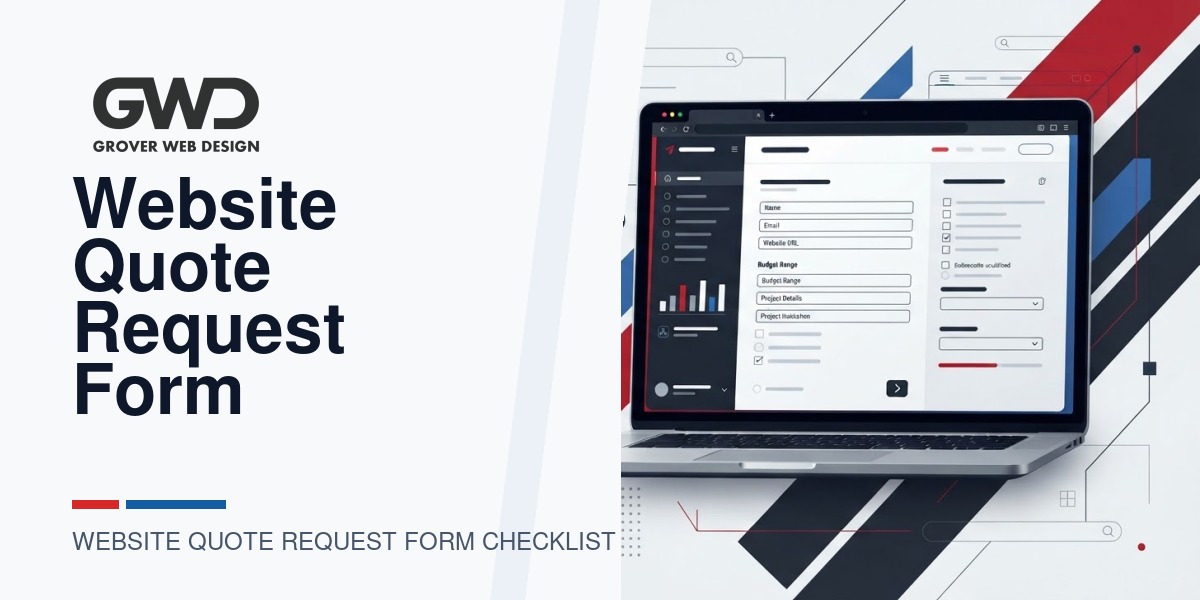
When you ask a prospect “Tell me about your website project,” you rarely get the specific details you need to produce a reliable quote. That uncertainty costs time and drives up discovery fees. A well-designed website quote request form solves that problem: it collects decision-grade information, pre-qualifies leads, and speeds the proposal process.
Who this checklist is for
This guide is written for business owners, marketing leaders, and procurement decision-makers who want better vendor responses and quicker, more accurate website proposals. It’s also useful if you manage an internal procurement process and need a reusable template to share with agencies.
How to use the checklist
- Decide how much information you want before a discovery call. We show tradeoffs below.
- Pick required vs optional fields from the lists that follow.
- Add attachments and example delivery artifacts you want vendors to see (example brand assets, analytics access).
- Share the form and measure response rate and proposal accuracy; iterate after every 10 submissions.
The essentials: fields every website quote request form should include
These are the minimum items GWD recommends to produce an initial, realistic quote without a lengthy discovery call.
- Contact & role — Name, email, phone, and role (owner, marketing lead, IT, vendor). Knowing the decision-maker avoids back-and-forth.
- Company info — Business name, website URL, and brief one-line description of what you sell or deliver.
- Preferred timeline — Target go-live date and any hard deadlines (product launch, seasonal campaigns).
- Budget range — Provide a range (e.g., $10k–$25k). This dramatically improves the quality of proposals.
- Primary objective — Choose one: lead generation, e-commerce, branding, internal portal, migration, or other (short text).
- Current platform — WordPress, Shopify, Custom, Drupal, no site, etc. Include hosting if known.
- Number of pages / content scale — Approximate number of pages or products; for large catalogs, ask for SKU count.
- Key integrations — CRM, payments, ERP, membership, marketing automation, SSO, or custom APIs.
- Is SEO/migration required? — Yes/No plus brief note if you’re migrating an existing site and worried about rankings.
- Attachments — Logo, sitemap, Google Analytics access instructions, brief PDF, or brand guidelines.
Optional but highly useful fields (when you want more accurate estimates)
- Example competitor sites — 2–3 URLs with notes on what you like or dislike.
- Design preferences — Moodboard keywords, brand colors, required accessibility or WCAG level.
- Content responsibility — Who will provide copy, images, and product data? (Client, agency, hybrid).
- Success metrics — Conversion rate targets, revenue goals, or KPIs you expect the project to impact.
- Ongoing support needs — Hosting, security, monthly updates, and SEO services (good to link to your long-term service expectations).
- Technical constraints — Existing IT policies, required servers, or compliance (HIPAA, PCI).
Form design and UX: reduce friction, preserve signal
How you ask is as important as what you ask. Follow these design guidelines to maximize completion and truthful answers.
- Progressive disclosure — Start with 6–8 high-value fields on page one. If the lead continues, show a second step for optional details.
- Use dropdowns and ranges — For budget, platform, and timeline, choose controlled inputs to reduce messy answers.
- Smart defaults — Pre-fill common answers for repeat visitors or logged-in contacts to speed completion.
- Explain why you need the info — Small helper text lowers resistance (e.g., “Budget helps us propose realistic solutions.”).
- Allow attachments — Accept PDFs and ZIPs; request a single compressed file if you need multiple documents.
- Make contact fields required — But keep the first call-to-action low-commitment: “Get an initial estimate.”
- CAPTCHA and bot checks — Use invisible or low-friction anti-spam safeguards to avoid scaring away prospects.
Decision criteria: when to ask for more versus less
Balance time-to-response with qualification needs by choosing one of three form strategies depending on your sales model.
| Sales model | Recommended form depth | When to use |
|---|---|---|
| High-touch enterprise sales | Long form (detailed fields + attachments) | When you need legal/compliance details or pre-screening for procurement. |
| Mid-market agency engagements | Medium form (essential + 3–5 optional fields) | Most common for design & development agencies that do scoped fixed-fee projects. |
| Volume lead gen | Short form (contact + 3 quick qualifiers) | When you want many prospects and will screen in discovery calls. |
Scoring & automatic routing
To save time, add a simple scoring system that triggers different sales actions.
- Score buckets — Assign points for budget band, timeline urgency, platform fit, and integrations. Example: Budget in target range = 5 points; ready content = 2 points.
- Routing — 0–4 points = nurture email; 5–8 points = qualification call; 9+ points = priority demo and senior proposal team.
- CRM integration — Push form submissions to your CRM with the score value and tags so the sales team sees priority at a glance.
Attachments and access you should ask for
Attachments often make or break a realistic estimate. Ask for these when appropriate:
- Existing sitemap or Excel list of pages/products
- Brand guidelines or logos
- Analytics access instructions or screenshots of your top pages
- Hosting details and FTP/SFTP or WP admin access (only when required and after NDA)
- PDF of RFP or procurement documents (for enterprise)
Privacy, security, and procurement considerations
- State the data use — Add a short privacy note explaining how you will use submitted data and how long you’ll retain attachments.
- Provide an NDA option — For technical or sensitive projects, offer an online NDA before file uploads or follow up with a one-click NDA link.
- Protect credentials — Never request live passwords in a form. Ask for a contact who can create a read-only view or temporary access.
What a good vendor response looks like (so you can evaluate quotes)
When proposals arrive, verify they include these elements so bids are comparable:
- Scope summary — Clear list of features and pages included and excluded.
- Deliverables & milestones — Design, development, testing, migration, launch, and post-launch support with dates.
- Assumptions & client responsibilities — What the client must provide (copy, images, product feeds).
- Pricing breakdown — Line items or phases, and an explanation of optional/contingency costs.
- Warranty & support — Bug-fix window, maintenance options, and SLA for urgent fixes.
- SEO & migration notes — If relevant, an outline of SEO migration steps and redirects (ask for this when SEO matters to you).
When a form isn’t enough: ask for an RFP or discovery workshop
Use an extended RFP or paid discovery when the project is complex, security-sensitive, or has unknown integration work. Examples:
- Custom portals, CRM integrations, or ERP work
- Large e-commerce catalogs (>5,000 SKUs)
- Compliance-heavy sites (HIPAA, PCI)
GWD often recommends a short paid discovery sprint for projects where the technical scope is uncertain. That investment reduces quoting risk and speeds accurate delivery.
Integration and tracking best practices
Make sure the quote request form asks about analytics, ads, and CRM so vendors price integration work appropriately:
- Google Analytics / GA4 access or property ID
- Google Tag Manager access
- Ad accounts (Google, Meta) and conversion tracking expectations
- CRM name and whether a native integration exists (HubSpot, Salesforce, etc.)
Sample minimal form field set (copy/paste)
- Full name*
- Email*
- Phone
- Company name*
- Website URL or “No site yet”*
- Primary goal (dropdown: leads / e-commerce / migrate / redesign / other)*
- Estimated budget (dropdown ranges: <$10k, $10k–$25k, $25k–$75k, $75k+)*
- Target launch month*
- Attach brief or sitemap (optional)
- How did you hear about us? (optional)
Common mistakes to avoid
- Asking too many free-text questions — They increase abandonment and create non-standard answers.
- Making budget optional — Without it vendors either guess high or decline to bid.
- Requesting credentials prematurely — Move access requests to after an NDA or discovery agreement.
- Not routing or scoring submissions — All leads look equally urgent without automated triage.
How GWD uses your quote form answers (our point of view)
At Grover Web Design we use a staged approach: a short form to qualify and schedule a 20-minute discovery call. For projects that fit our sweet spot we offer a fixed-fee proposal or a paid discovery sprint when technical scope is unclear. If you want full-service delivery, we’ll include options for ongoing hosting, SEO, and custom development in the proposal.
If you’re evaluating vendors, we recommend you ask each provider to confirm the same scope assumptions in writing so you can compare apples to apples. We publish a practical vendor-evaluation checklist in our guide How to Evaluate a Web Development Portfolio, and if SEO migration matters you’ll find complementary guidance in our Website SEO Fundamentals guide.
Next steps for business owners
- Decide which fields above are required for your internal procurement.
- Implement the form with progressive steps and CRM integration.
- Run three test submissions and compare incoming proposals — update the form where vendors consistently ask for missing info.
If you want a contractor or agency to evaluate your existing form and build a scoring + CRM workflow, see our services: Grover Web Design services, Custom Web Development, or SEO Services.
FAQ
How long should my form be?
Keep the first step under 8 fields. If you need more detail, use a second step or a downloadable RFP. Short forms increase completion; staged forms increase qualification.
Should I require a budget?
Yes. A budget range prevents time wasted on unrealistic bids. If prospects resist, offer a short discovery call to discuss options before a fixed proposal.
Can I integrate the form with my CRM and ad tracking?
Yes — you should. Push submissions, scoring, and UTM data into your CRM and set conversion events for lead quality. That helps you measure true ROI from marketing.
When is a paid discovery sprint worth it?
When integrations are unclear, catalog size is large, or compliance is required. A small paid sprint reduces the risk of scope creep and leads to a reliable fixed price.

Talk with Donny about your website redesign.
Share your current website and what needs to change. GWD can review your priorities, compare scope options, and help protect the search visibility you already have.