Website Trust Signals Checklist for Service Businesses
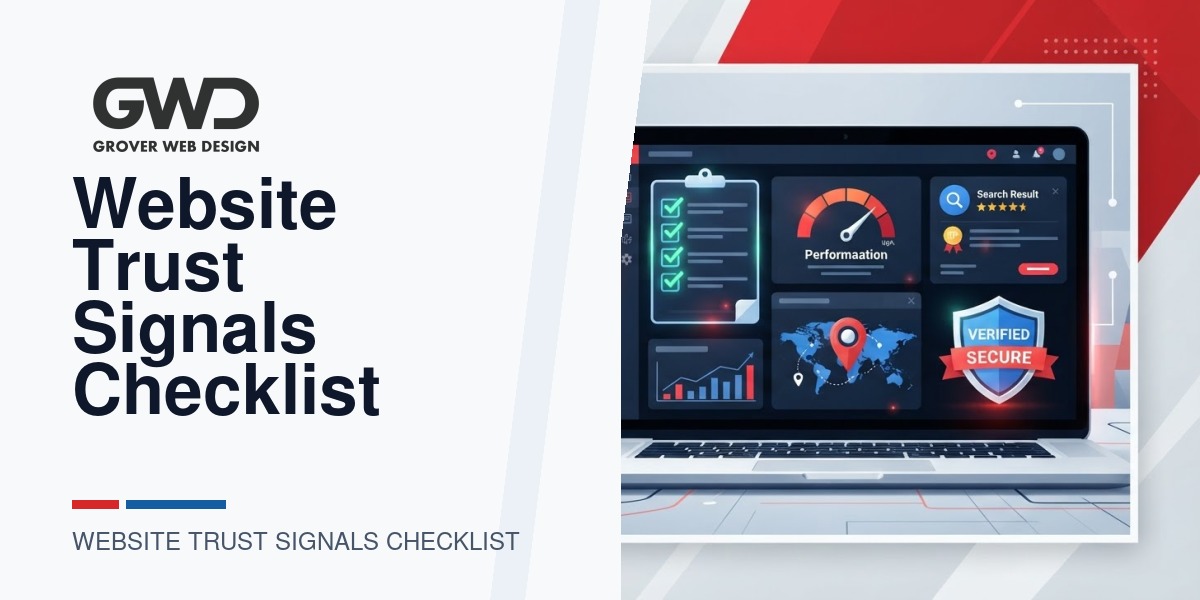
Service businesses live and die by trust. Visitors often decide whether to contact you in seconds — before they read your full services list or pricing. This checklist walks through the exact trust signals you should add to a WordPress site (and the order to do them in) so prospects feel confident calling, booking, or requesting a quote.
What we mean by “trust signals”
Trust signals are the visible elements on your site that reduce friction and answer unspoken buyer questions: Who are you? Can I reach you? Are you credible? Do you protect my data? For service businesses — contractors, agencies, healthcare providers, accountants, consultants, and more — the right trust signals shorten the path from first visit to first contact.
How to use this checklist
- Follow the priority order for fastest impact: contact details, security, reviews, and clear next steps.
- Implement visible signals site-wide (header/footer) and reinforce them on service and landing pages.
- Measure: track phone clicks, form submissions, and conversion rates after each change.
Essential trust signals (quick wins — do these first)
- Clear contact info in the header and footer — phone number, email, and local address if you have one. Click-to-call on mobile is a must.
- SSL / HTTPS — active site certificate and a visible padlock. Many visitors equate HTTPS with basic trust and security.
- Google Business Profile link and local listing — link directly to your Google reviews and profile so prospects can verify your presence.
- Prominent, simple CTA — “Request a Quote,” “Book 20 mins,” or “Call Now.” Remove jargon; make the next step obvious.
- Fast load time and mobile-friendly layout — nothing destroys trust faster than a slow, broken mobile site. Prioritize mobile UX and simple, readable pages.
Social proof and credibility (high impact)
- Customer reviews and testimonials — show short, attributed quotes on service pages and link to full reviews (Google, Facebook, industry sites).
- Case studies or short project highlights — 1–2 page case studies with challenge → approach → outcome. Use anonymized details if confidentiality is required.
- Logos or client roster (when permitted) — recognizable logos provide quick credibility. Use a carousel or grid and get permission to display client names.
- Press mentions and awards — a small “As featured in” strip with source logos adds authority.
Proof of competence (important for service decisions)
- Portfolio with filters — sortable examples that help prospects find relevant work in their industry.
- Certifications and professional badges — display them near the top of service pages (e.g., licensed, insured, vendor certifications).
- Team bios with photos — short bios focused on expertise and role, not long resumes. Show real faces.
Operational trust signals (reduces buy hesitation)
- Transparent pricing or pricing ranges — a clear starting price, packages, or “from” price reduces sticker shock.
- Clear process & timeline — a short 3–5 step process diagram helps prospects understand what working with you looks like.
- Service guarantees, refund policy, or satisfaction commitments — plainly stated policies set expectations and lower perceived risk.
- Availability & response times — “We respond to inquiries within 24 business hours” is more powerful than silence.
Security, privacy, and compliance
Service businesses that handle personal or sensitive data must be explicit about protections.
- Privacy policy and cookie notice — easy to read and accessible from every page.
- Data handling statement — describe how you store and use client data; mention encryption or retention if relevant.
- Compliance badges (HIPAA, PCI, industry-specific) — only show these if you actually meet requirements and can document them.
- Secure payment and third-party processor badges — PayPal, Stripe, or established processors reassure clients on invoicing.
Technical trust signals (SEO & accessibility)
- Schema / structured data — add organization, local-business, and review schema so search engines can show star ratings and contact info in results.
- Accessible design — proper headings, alt text, keyboard navigation, and readable contrast. Accessibility improves trust and legal safety.
- Clean, updated footer with legal links — terms of service, privacy, disclaimers, and refund policies.
Design & UX cues that communicate professionalism
- Consistent branding and real photography — quality, authentic photos and consistent colors/type create perceived reliability.
- Readable typography and whitespace — break content into scannable blocks; avoid dense pages of text.
- Microcopy that reduces friction — descriptive form labels, expected response times, and simple field validation lower abandonment.
Advanced signals for established practices
- Whitepapers, guides, or tools — downloadable resources behind a simple lead form establish expertise.
- Verified case data — anonymized metrics or screenshots that show outcomes (e.g., increased leads, revenue uplift) with a short methodology note.
- Client portals and secure file exchange — for repeat-service firms, a portal for project tracking is both a convenience and a trust builder.
Practical checklist: Prioritized tasks with examples
| Priority | Task | Why it helps |
|---|---|---|
| 1 (Immediate) | Add header contact, HTTPS, clear CTA | Makes it obvious how to contact you and signals basic site security |
| 2 (Week) | Show 3 client testimonials + Google reviews link | Immediate social proof that reduces buyer anxiety |
| 3 (2–4 weeks) | Create 1 short case study and add team bios | Differentiates on work quality and humanizes your firm |
| 4 (1–3 months) | Implement schema, accessibility fixes, improve speed | Improves search visibility and the actual user experience |
30/60/90-day implementation plan
Use this roadmap to roll out trust signals without disrupting your business:
- Days 1–30 (Launch fast)
- Header/footer contact, SSL, CTA, Google Business link, 3 reviews
- Mobile checks and basic speed fixes (image sizes, caching)
- Days 31–60 (Build credibility)
- Publish 1–2 case studies, add team bios, display certifications
- Introduce clear pricing ranges and process overview on service pages
- Days 61–90 (Technical & growth)
- Implement structured data, accessibility fixes, faster hosting if needed
- Add client portal or secure file exchange if your workflow benefits
Real-world examples and what to avoid
At Grover Web Design we often build hybrid solutions: a WordPress site with small custom apps — for example, a simple customizer or a secure portal for client documents. These add strong trust signals when done simply: make the tool clearly useful and easy to use, not a feature-heavy product that confuses visitors.
A common pitfall is overcomplication. Some businesses ask for complex AI-driven features before the basics are in place. Our recommendation: experiment with AI for internal efficiency, but keep public-facing trust signals clear and familiar so prospects don’t have to learn a new workflow just to contact you.
When to call a developer or agency
- If you need schema markup, faster hosting, or structured data for reviews, professional help will save time and prevent mistakes.
- If you handle sensitive data (HIPAA, legal, financial), consult a developer who can implement compliance correctly.
- Need a custom portal or secure document flow? Consider a staged rollout: start with a simple passworded area, then add automation.
If you want help implementing these trust signals, we can audit your site and map a prioritized plan: see our Web Design & Custom Development services. For building secure tools and portals, check our Custom Web Development offerings. To make sure search engines amplify your trust signals, our SEO Services can add schema and technical SEO improvements.
Checklist summary (one-page version)
- Header & footer contact + click-to-call
- SSL / HTTPS
- Visible reviews + link to Google Business Profile
- Case study & portfolio examples
- Team bios and real photos
- Certifications, badges, press mentions
- Transparent pricing or ranges
- Process, timelines, and guarantees
- Privacy policy, cookie notice, data handling statement
- Schema markup, accessibility, and mobile speed
FAQ
Which trust signal moves the needle most?
For most service businesses, visible reviews and a clear contact method are the fastest to improve conversions. They answer the two biggest buyer questions: “Have you worked with people like me?” and “How do I talk to you?”
Can I show anonymized case study data?
Yes — anonymized outcomes and screenshots are helpful. Make the methodology transparent (timeframe, baseline) so prospects trust the claim.
Should I show pricing on the website?
Even ranges or example packages reduce friction. If exact pricing varies widely, show a starting price and typical ranges for common projects.
Are security badges necessary?
They help if you actually use the systems named. Don’t display compliance badges you can’t document; that erodes trust if questioned.
How often should I update trust signals?
Quarterly: add new testimonials, refresh case studies, and re-run performance checks after major content or plugin updates.
Measure, test, and iterate on trust signals
Adding trust signals is necessary, but the fastest route to higher conversions is to measure impact and iterate. Use a simple hypothesis-driven approach: change one signal, measure for a set period, and compare results. Below are practical metrics, test ideas, and reporting templates you can use on WordPress sites.
Key metrics to track
- Contact actions: phone link clicks, contact form submissions, click-to-chat starts. Track by page and source (organic / paid).
- Micro-conversions: brochure downloads, case-study views, quote request clicks — these signal interest before a full form fill.
- Bounce and time on page: large drops in bounce or increases in time on page after adding testimonials or case studies indicate higher engagement.
- Form abandonment rate: measure starts vs completions. Use this to prioritize microcopy and field reductions.
- Goal conversion rate: overall conversions per session for high-intent landing pages.
A/B test ideas that move the needle
- Header CTA copy: test “Call Now” vs “Request a Free Quote” and measure phone clicks vs form fills.
- Test placement of reviews: homepage hero vs footer strip to see where they reduce hesitation faster.
- Case study length: test short 150-word highlights vs full 800-word studies for conversion lift.
- Trust badges: test single-verified-badge near CTA vs a small grid of certifications on the service page.
WordPress-specific implementation tips
For service businesses using WordPress, choose lightweight, well-supported plugins and prioritize server-side fixes before adding features that may slow the site.
- Forms: WPForms or Gravity Forms for reliable tracking and spam protection.
- Reviews: a plugin that pulls Google Business reviews via API so you can display verified reviews without manual updates.
- Schema & structured data: use Yoast (built-in basics) or a focused schema plugin to surface localBusiness and review markup in search results.
- Speed & caching: server-level caching or a plugin like WP Rocket / a CDN; optimize images and defer nonessential scripts to protect perceived trust.
Microcopy templates (ready to paste)
| Location | Microcopy |
|---|---|
| Header phone label | Call us: (555) 555-5555 — same-day estimates when you call before 3 PM |
| Primary CTA | Request a free quote — 24-hour response, guaranteed |
| Form success message | Thanks! We’ll respond within 24 business hours. If urgent, call (555) 555-5555. |
Ongoing maintenance cadence
- Weekly: check contact forms and phone click counts, ensure reviews are current.
- Monthly: refresh one testimonial or case study and run a basic speed report.
- Quarterly: re-run accessibility checks, update certifications, and evaluate A/B test results.
These additions give concrete, reproducible steps your team or agency can run each month to protect and improve the trust signals you add. They also make it easier for Grover Web Design to deliver prioritized, measurable improvements during an audit or engagement.

Talk with Donny about website trust signals checklist.
Grover Web Design can review the opportunity, improve the page, and connect search visibility to a stronger lead path.