

Website performance improvement: practical plan, checklist, and decision framework
Website performance improvement: practical plan, checklist, and decision framework
If your goal is website performance improvement, start here: prioritize measurable visitor-facing signals (LCP, CLS, INP), focus on the pages that drive traffic and conversions, and apply fixes that reduce real load work for users — especially on mobile. This article gives a repeatable plan you can use today: the metrics to capture, a prioritized checklist for WordPress sites, a decision framework for patch vs rebuild, and the PageSpeed outcome we delivered for Sea Fox Boats as a real example of applied work.
Resolve the intent: what “website performance improvement” should deliver
When someone searches for website performance improvement they usually want measurable results that improve real visitor outcomes. Target these concrete goals first:
- Faster visible load: reduce Largest Contentful Paint (LCP).
- Stable layout: eliminate or reduce Cumulative Layout Shift (CLS).
- Responsive interactions: improve Interaction to Next Paint (INP) or First Input Delay (FID).
- Lower server and delivery costs via caching and CDN rules.
- Technical improvements that support SEO, accessibility, and conversion.
Quick example: Sea Fox Boats outcome
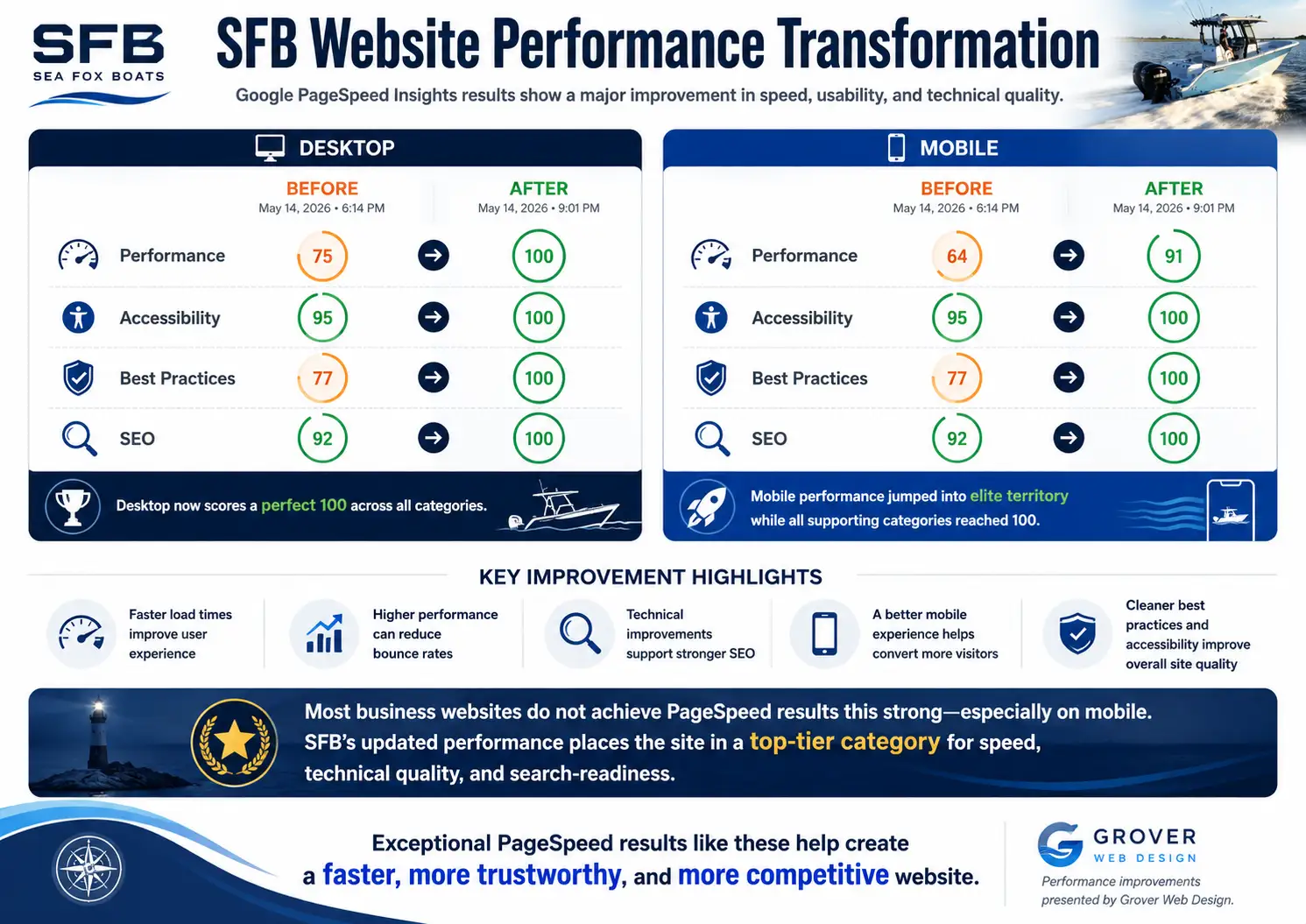
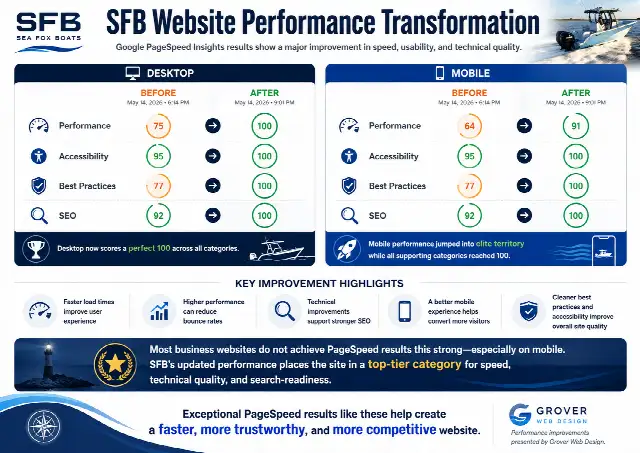
After a focused optimization pass on the Sea Fox Boats site we reached a desktop performance score of 100 and a mobile performance score of 91 in PageSpeed Insights, with 100s for accessibility, best practices, and SEO. Those results reflect real reductions in render-blocking resources, smaller image payloads, and improved mobile rendering — the kind of work that reduces friction for visitors rather than simply chasing a lab number.
Start by measuring the right things
Collect both lab and field signals before making changes. Lab tools help diagnose; field data validates impact across real users.
- Lab diagnostics: Lighthouse / PageSpeed Insights to find bottlenecks and actionable audits.
- Field data: Real User Monitoring (RUM) or Chrome UX Report for LCP, CLS, and INP distributions across devices.
- Server metrics: Time to First Byte (TTFB) and server error rates from hosting and CDN logs.
- Conversion KPIs: bounce rate, form completions, cart adds, and time to interaction on key landing pages.
Prioritized checklist: fixes that pay off first
Address issues in the order below to get measurable gains quickly. Each step lists typical checks and a realistic outcome.
-
Capture baselines.
Run Lighthouse on representative pages and record LCP, CLS, INP, TTFB, and total byte weight.
-
Optimize images (fast wins).
Resize source images to the largest display they need, compress, add responsive srcset, lazy-load offscreen images, and prefer modern formats when compatible. Outcome: big LCP reductions on photo-heavy pages.
-
Audit JavaScript and CSS.
Identify assets that load sitewide but are only needed on one template. Defer or async noncritical scripts and remove unused CSS where possible. Outcome: reduced render-blocking and lower CPU work on mobile.
-
Improve caching and CDN rules.
Set browser cache headers, enable edge caching for static assets, implement page caching for WordPress, and confirm purge rules after content updates. Outcome: faster repeat loads and lower origin costs.
-
Stabilize layout and fonts.
Reserve width/height for images and embeds, preload critical fonts, and avoid injecting content above the fold. Outcome: lower CLS and fewer accidental taps.
-
Manage third-party scripts.
Lazy-load advertising, analytics, and social embeds or load them after user interaction when possible. Outcome: reduced blocking and network contention on first load.
-
Validate and iterate.
Retest on mobile emulation and real devices, compare RUM to lab scores, and prioritize remaining changes to the largest remaining bottleneck.
Common WordPress bottlenecks and fixes
| Problem | Why it hurts | Typical fix |
|---|---|---|
| Oversized images | Large files delay LCP, especially on mobile | Resize, compress, use srcset, and lazy-load offscreen images |
| Plugin assets loading sitewide | Unused CSS/JS increases blocking time | Prevent sitewide loading, conditionally dequeue assets, replace heavy plugins |
| Weak caching rules | Resources are re-downloaded; origin load spikes | Enable page and edge caching, set long cache lifetimes for static assets |
| Render-blocking CSS/JS | Browser delays painting useful content | Inline critical CSS, defer non-critical scripts, remove unused code |
| Layout shifts | Poor UX and accidental taps | Reserve space for media, preload fonts, avoid late DOM injections |
Decision framework: patch, optimize, or rebuild?
Use this framework to decide whether to apply targeted fixes, perform a site-wide optimization, or plan a rebuild. Consider cost, time, and recurring maintenance.
| Situation | Recommended action | Why |
|---|---|---|
| One or two critical pages with issues | Targeted fixes | Fast ROI — optimize images, caching, and scripts on those pages |
| Many pages suffer from the same heavy theme/plugins | Site-wide optimization pass | Tune theme, remove sitewide assets, add caching rules to benefit many pages |
| Site uses a heavy page builder or client-side rendering across templates | Partial refactor or rebuild | Repeated fixes are costly; a lighter template reduces ongoing maintenance |
| Business requires frequent feature changes and integrations | Staged rebuild with performance-first architecture | Planned rebuild reduces technical debt and speeds future changes |
How to prioritize pages for improvement
Not all pages deserve the same effort. Prioritize by impact:
- High: pages that drive organic traffic, paid traffic, or revenue (top landing pages, product/category pages).
- Medium: pages that support discovery or authority (blog posts with steady traffic).
- Low: rarely visited pages or content behind authentication.
Work top-down: fix the highest-impact pages first, then extend those optimizations site-wide if they rely on theme or template changes.
Measurement plan and QA checklist
After each change, validate both performance and business impact:
- Run Lighthouse on staging and production for the same URL and device profile.
- Compare RUM distributions for LCP, CLS, and INP before and after deployment.
- Smoke-test critical user flows: forms, checkout, content filtering, and search.
- Monitor server and CDN metrics for unexpected 5xxs or cache misses.
- Keep a rollback plan for any change that affects functionality.
Sample timeline and realistic expectations
Small targeted passes (images, a few scripts, caching) can yield measurable gains in days. Site-wide optimization or template refactors typically require several weeks: diagnose, implement on staging, QA, and staged rollout. Full rebuilds are multi-month projects depending on scope.
When performance work overlaps with SEO and development
Performance improvements often touch technical SEO and front-end architecture. If fixes require structured data, metadata changes, or template refactors, coordinate with SEO and development teams. Grover Web Design supports both focused performance passes and longer-term development engagements — see our services for options and our SEO services and custom web development pages for specific collaboration models.
Tools and resources
- Lighthouse / PageSpeed Insights — lab diagnostics and audits.
- Real User Monitoring (RUM) / Chrome UX Report — field validation.
- Hosting and CDN consoles — cache headers and edge metrics.
- Automated image-processing pipelines — generate responsive images in build steps.
To help choose between speed, SEO, UX, or conversion priorities, try the Grover Performance Index calculator to structure the decision and identify the highest-impact work.
FAQ: website performance improvement
What is a good PageSpeed score?
A PageSpeed Insights score of 90 or higher is considered strong. More importantly, focus on improving field Web Vitals for your users — real-device LCP, CLS, and INP are what actually impact users and search experience.
Why is mobile usually slower than desktop?
Mobile tests use slower CPU and network assumptions. Heavy images, client-side JavaScript, custom fonts, sliders, and third-party embeds typically affect mobile more. Prioritize visible content, reduce CPU work, and validate on representative mobile devices.
Will improving PageSpeed break my design?
Careful, staged changes minimize risk. Start with non-destructive optimizations such as image compression and caching. For any change that touches templates or scripts, test on staging and run QA on core flows before deploying to production.
Do I always need a rebuild?
No. Many sites benefit from a focused optimization pass. Rebuilds are appropriate when the underlying theme or page builder enforces heavy client-side rendering across many pages, or when recurring maintenance costs exceed rebuild effort.
How do I prove business impact?
Measure conversion KPIs and session engagement before and after changes. Faster pages typically reduce bounce rate, increase pages per session, and improve form or checkout completion rates when changes remove real friction.
Next steps
If you want a practical performance review tailored to your site, start with a focused diagnostic on the 3–5 pages that drive the most traffic or conversions. Capture RUM data, run Lighthouse, and choose a prioritized plan: targeted fixes, a site-wide optimization, or a staged rebuild.

We can review your PageSpeed report, Core Web Vitals, WordPress setup, caching, images, and conversion paths so you know what to fix first.
If you prefer a structured diagnostic first, use the Grover Performance Index calculator to prioritize work, then contact Grover Web Design to schedule a review.