CRM Integration for Business Websites: Build vs Buy — How to Choose
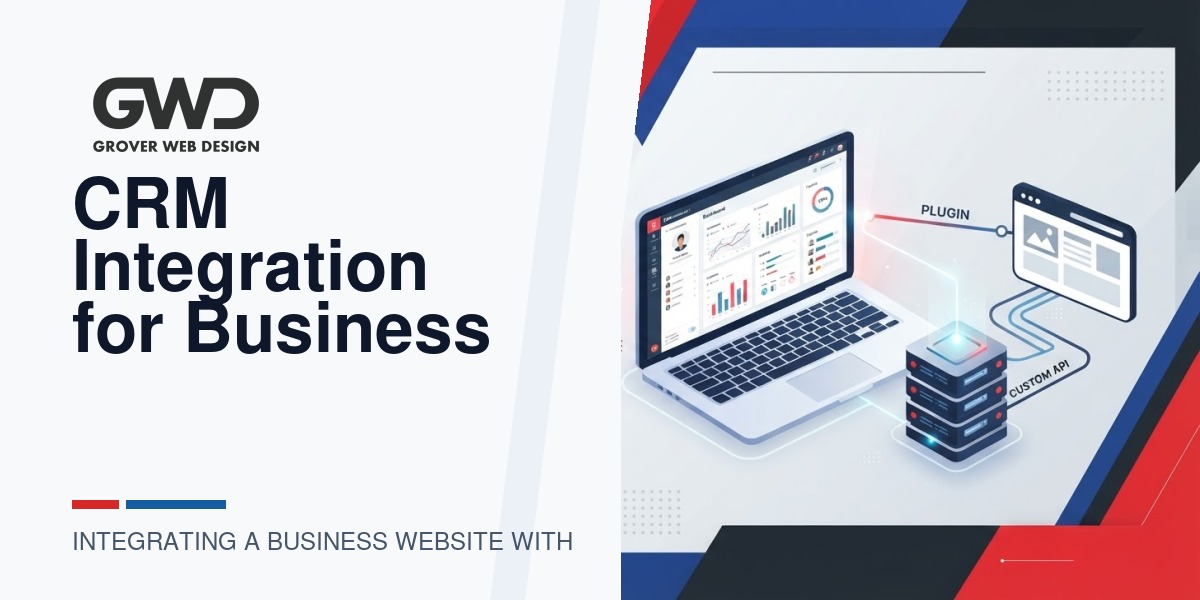
Connecting your website to a CRM is rarely just a technical task — it’s a business decision about how data moves, who acts on it, and what outcomes you measure. This guide frames the plugin vs. custom API decision around data flows and business outcomes so you can choose the lower-risk, higher-value option for your company.
Start with outcomes, not integrations
Before weighing plugins or custom development, clarify the business outcomes you expect from the CRM connection. Common goals include:
- Reliable lead capture and triage so sales responds within X minutes
- Accurate customer records that sync across systems (ecommerce orders, support tickets)
- Segmented marketing lists and event tracking for better campaign ROI
- Closed‑loop reporting linking web interactions to closed revenue
If a plugin or middleware can meet those outcomes with minimal risk, it will usually be cheaper and faster. If your workflows require custom logic, complex data mapping, real‑time performance guarantees, or strict compliance, a custom API integration is often necessary.
When an off‑the‑shelf plugin or middleware is sufficient
Choose a plugin/middleware when the project fits most of these conditions:
- Straightforward data model: You’re syncing basic lead/contact fields, form submissions, and simple tags or lists.
- Low volume or burst‑tolerant traffic: Traffic can tolerate small processing delays or batched syncs (minutes to hours).
- No heavy custom business logic: No need to run complex enrichment, normalization, or multi‑system orchestration in real time.
- Standard CRM provider: Your CRM has a widely used plugin or native connector (Salesforce, HubSpot, Zoho, etc.) with active maintenance.
- Lower compliance burden: Data doesn’t include PHI, large payment datasets, or unusually strict residency/security constraints.
Benefits: faster delivery (days), lower cost, built‑in support and community documentation. Risks: limited flexibility, version drift if the vendor stops updating the plugin, and possible data mismatch if you need custom fields or workflows.
When you need a custom API integration
Consider a custom API integration when your requirements include:
- Complex data mapping: Multiple source systems, custom objects, nested relationships, or transformation rules that off‑the‑shelf connectors can’t model.
- High volume / low latency: Real‑time syncs, webhooks with sub‑second processing, or bulk imports at scale (thousands to millions of records periodically).
- Business rules and orchestration: Enrichment, deduplication strategies, conditional routing, or multi‑step workflows driven by site behavior.
- Strict security/compliance: HIPAA, PCI, SOC2, or contractual requirements that demand custom encryption, logging, and access controls.
- Proprietary or legacy systems: Internal CRMs, ERPs, or on‑premise databases that lack mature connector ecosystems.
Benefits: precise control of data flow, tailored performance, and maintainable business logic. Tradeoffs: higher initial cost, longer timeline, and a responsibility to maintain the integration long‑term.
Discovery checklist: what to validate before choosing
Run this discovery checklist early. The answers directly determine build vs buy feasibility and cost.
- Data inventory: List every data element to move (forms, orders, user accounts, events). Mark required vs optional fields and note nested relationships.
- Data volume and cadence: Average and peak records per minute/hour/day; batch vs real‑time expectations.
- Data transformation rules: Any normalization, enrichment, derivations, or dedupe criteria.
- Security & compliance: Required encryption, logging/audit, data residency, retention, and access controls.
- Error policies: How should failures be handled — retries, dead‑letter queues, alerts, or manual reconciliation?
- Ownership & SLAs: Who supports the integration? Required uptime and recovery time objective (RTO)?
- Monitoring & auditability: Need for transaction-level logs, dashboards, or reconciliation reports?
- Future roadmap: Expected changes that could impact the integration (new CRMs, upgraded website forms, expanded data types).
Typical costs and timelines (realistic ranges and drivers)
Below are approximate ranges you can use for budgeting. Costs vary by region, vendor, and complexity.
| Approach | Typical timeline | Ballpark cost range* | Primary cost drivers |
|---|---|---|---|
| Plugin / Middleware | 1–14 days (config & QA) | Free—$3k (setup + license) | Plugin quality, licensing fees, intermediate middleware (Zapier/Make), custom field mapping |
| Custom API integration (small) | 2–6 weeks | $5k—$25k | Field mapping, simple transformations, webhook handling, basic monitoring |
| Custom API integration (complex) | 6–20+ weeks | $25k—$150k+ | High volumes, orchestration, multiple systems, compliance, advanced monitoring |
*Use these ranges as decision guidance. Request itemized estimates and ask vendors to separate discovery, implementation, and ongoing maintenance costs.
Testing and error‑handling: what must be in scope
Robust testing and error handling avoid data loss and business interruptions. Require vendors to include the following in scope:
- Integration tests: Unit tests for transformations and end‑to‑end tests that simulate realistic volumes and edge cases.
- Idempotent writes: Ensure repeated deliveries don’t create duplicates; use unique external IDs when possible.
- Retry and backoff: Automatic retries with exponential backoff and a capped retry window; failed items land in a dead‑letter queue for manual review.
- Monitoring & alerts: Transaction dashboards, SLA breach alerts (email/SMS/incident system), and daily reconciliation reports.
- Audit logs: Immutable logs showing payloads, timestamps, user or request IDs, and status for each transaction.
- Rollback and reconciliation: Methods to identify and correct mismatches (replay queues, export/import tools).
Vendor selection checklist
For agencies or contractors, evaluate candidates against this checklist. Prefer providers that can show practical experience and predictable processes.
- API experience: Demonstrated integrations with your CRM and similar systems. Ask for architecture diagrams and a code sample or sanitized commit history showing webhook handling, retries, and idempotency.
- Security practices: Data encryption in transit and at rest, key management, access control, and relevant compliance evidence (SOC2, HIPAA workflows where applicable).
- Testing discipline: Automated tests, staging environments, and load testing procedures.
- Observability: Monitoring, alerting, and how they handle incidents (postmortem culture, SLA credits).
- Documentation & handover: Clear runbooks, onboarding guides, and operational checklists for your internal team.
- Maintenance plan: Versioning strategy, change windows, and ongoing support costs for upgrades or schema changes.
- References: Short client reference you can call about uptime, bugs, and responsiveness.
Long‑term maintenance implications
Remember: shipping an integration is the start, not the finish. Common long‑term costs and considerations include:
- API versioning: CRMs change APIs. A maintenance budget should cover updates, especially for deprecated endpoints.
- Schema changes: Adding fields, renaming keys, or changing data models will require updates to transform and validation logic.
- Credential rotation: Periodic updates to API keys/service accounts and secure key storage practices.
- Monitoring drift: As traffic patterns evolve, monitoring thresholds and scaling rules must be tuned.
- Security patches: Libraries and hosting environments need timely updates to patch vulnerabilities.
- Cost of ownership: Include hosting, logging retention, alerting services, and developer time in annual budgets (typically 10–30% of initial build cost per year as a rough planning heuristic).
Decision flow — a simple framework
Use this three‑question decision flow to pick the right approach quickly:
- Does a supported plugin/connector exist that maps to >80% of your must‑have fields and workflows? If yes, prefer plugin and instrument monitoring.
- Does the remaining 20% require mission‑critical behavior (real‑time, compliance, complex orchestration)? If yes, plan for custom work for those parts and consider a hybrid approach: plugin for noncritical data + custom connector for critical flows.
- Are volumes or performance needs beyond plugin capabilities? If yes, custom integration is necessary.
Example architectures
Three practical patterns you may request from a vendor:
- Plugin‑only: WordPress form plugin POSTs to CRM via plugin; vendor configures field mappings and webhooks; monitoring via plugin logs and periodic reconciliation.
- Hybrid (recommended for many mid‑market customers): Plugin handles basic lead capture; a lightweight middleware service receives webhooks, normalizes data, applies business rules, and posts to CRM. This isolates custom logic from your website and simplifies updates.
- Custom end‑to‑end: Website posts to a dedicated integration service (hosted API) that orchestrates multiple systems, performs enrichment, deduplication, and enforces SLAs and compliance controls.
Next steps for decision-makers
- Run the discovery checklist with stakeholders (sales, ops, security). Document data fields, volume, and must‑have SLAs.
- Evaluate existing connectors and run a short proof of concept with a plugin/middleware for noncritical flows.
- If custom work is needed, ask vendors for itemized quotes: discovery, implementation, testing, and maintenance. Require a staging environment and an incident response plan.
- Make the choice based on value: prefer the option that reliably delivers your business outcomes while keeping maintenance and risk manageable.
Resources and where Grover Web Design helps
We help businesses scope discovery workshops, build hybrid or custom integrations, and put maintainable monitoring and runbooks in place. If you need help evaluating vendors, running proofs of concept, or estimating fixed‑price integration work, review our services or request a consultation:
- Grover Web Design — Services
- Custom Web Development — for integrations, portals, and platform work
- SEO Services — when CRM data feeds into paid and organic performance measurement
FAQ
Can I start with a plugin and later replace it with a custom integration?
Yes — and that’s a pragmatic approach for many companies. Use the plugin to capture immediate value while you complete discovery and design a robust custom solution for the flows that need it. Plan for data migration and ensure you use external unique IDs so records can be reconciled after migration.
How do I estimate the ongoing cost of a custom integration?
Budget for hosting, logging/monitoring, periodic maintenance for API changes, and developer support. A common planning heuristic is 10–30% of the initial build cost per year, but get vendor estimates for your specific architecture.
What monitoring should I require in the SLA?
Transaction success rates, queue lengths, retry counts, and alerts for error spikes or exceeded SLA windows. Require daily reconciliation reports and an incident response time target for P1 issues.
Is middleware (Zapier/Make) ever okay for B2B sites?
Yes — for low‑volume, noncritical processes and rapid experimentation. It’s not suitable for high‑volume, latency‑sensitive, or compliance‑constrained workflows.
If you want a practical next step, run the discovery checklist internally, then book a short scoping call to turn that discovery into a fixed estimate and implementation plan.

Talk with Donny about your development project.
Bring your goals, existing systems, and biggest bottleneck. GWD can help clarify scope, integration needs, and the right next step before you commission development.