Local SEO Website Checklist for Service Businesses
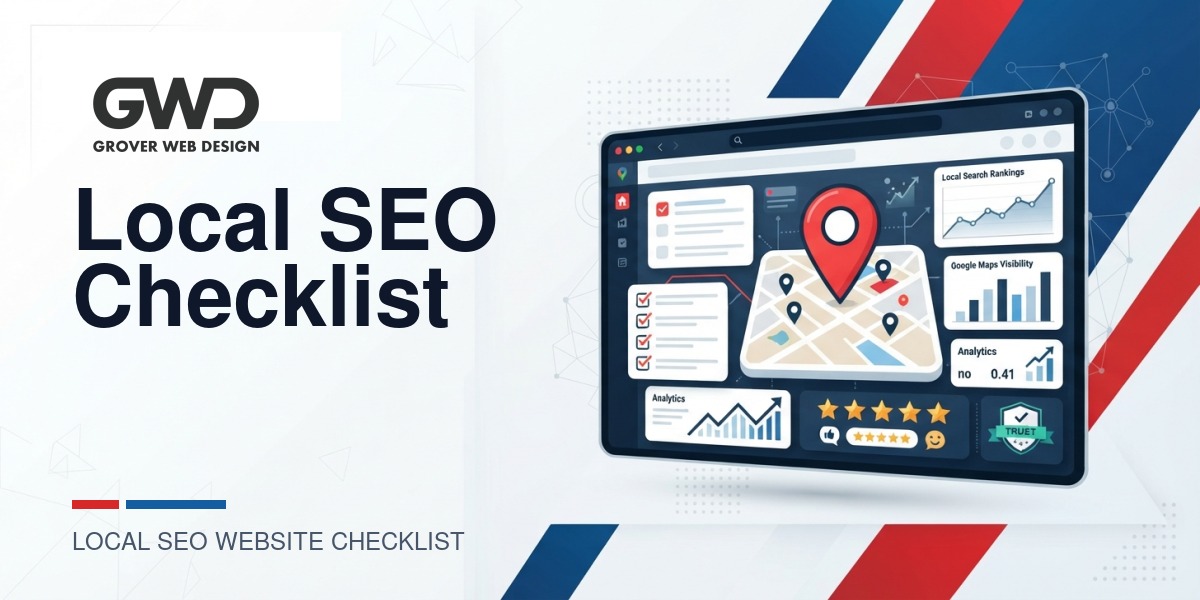
If your customers search locally for plumbers, HVAC techs, landscapers, electricians, or any on-site service, your website must convert discovery into booked jobs, calls, and estimates. This guide is a website-first SEO checklist for local small business websites that you can use as an audit, a two-week launch plan, and a decision framework for DIY vs hiring help.
What this checklist delivers (short answer)
This checklist focuses on site-owned signals that move the needle for local search: canonical contact data (NAP), location and service pages, LocalBusiness structured data, reviews handling, mobile performance, security, and lead tracking. Use the pass/fail items below to prioritize quick wins.
Actionable local SEO checklist (site-specific tasks)
Run these items as a single-pass audit. Mark each item Pass / Fix / N/A, record the owner, and set a due date.
1 — Canonical contact block (NAP): visible and consistent
- Check: Business name, street address, and primary phone appear as HTML text (not images) on the header, footer, and Contact page.
- Why: Consistent NAP reduces conflicting directory signals and improves user trust.
- Action: Create a single contact component in your CMS and include it site-wide. Use the same formatting on Google Business Profile and invoices.
2 — Google Business Profile: link and alignment
- Check: Your site links directly to your Google Business Profile and the primary category and business description match between GBP and your site.
- Action: Add a visible CTA linking to your GBP on Contact and the footer. Use the same service wording and primary category across both places.
3 — Location and service-area pages: unique and useful
- Check: A page for each physical location, and for larger service areas, targeted city pages with unique content (services offered there, local testimonials, photos).
- Action: Use a location template: H1 with city, short intro, local services list, local testimonials, FAQ, clear CTA, and LocalBusiness schema.
4 — On-page SEO: titles, metas, and headings
- Check: Unique title and meta description for each page that includes a local keyword (example: “AC Repair in [City]”). The H1 and first 100 words should naturally reflect the page focus.
- Action: Track page titles and metas in a spreadsheet and avoid duplicated metadata across location pages.
5 — LocalBusiness structured data (JSON-LD)
Structured data helps search engines connect your site content with listings and may enable richer search snippets. Add a LocalBusiness JSON-LD block on your Contact and location pages and keep it synced with visible NAP and hours.
{
  "@context": "https://schema.org",
  "@type": "LocalBusiness",
  "name": "Your Business Name",
  "telephone": "+1-555-555-5555",
  "address": {
    "@type": "PostalAddress",
    "streetAddress": "123 Main St",
    "addressLocality": "Your City",
    "addressRegion": "Your State",
    "postalCode": "00000",
    "addressCountry": "US"
  },
  "url": "https://yourdomain.com"
}
Action: Add JSON-LD via your CMS or template and validate with Google’s Rich Results Test. Keep schema and visible content aligned.
6 — Reviews: collection, display, and schema
- Check: You have a documented review request workflow and recent authentic reviews are displayed on location pages.
- Action: Add a “Leave a review” CTA to post-service emails or receipts that links to GBP. Only use review schema for visible, authentic reviews.
7 — Mobile-first performance & Core Web Vitals
- Check: Mobile PageSpeed for critical pages (location, service, contact). Pay attention to LCP and CLS.
- Action: Optimize images (proper formats and sizes), lazy-load noncritical media, and defer blocking scripts. Run a PageSpeed/ Lighthouse report and prioritize the top mobile issues.
8 — Security, backups, and monitoring
- Check: Site enforces HTTPS, plugins/themes are updated, regular backups are taken, and malware/uptime monitoring is enabled.
- Action: Configure offsite backups with a one-click restore and enable monitoring so any compromise is detected quickly.
9 — Contact UX and conversion tracking
- Check: Prominent click-to-call buttons on mobile, short contact forms, and clear booking steps. Events for phone clicks and form submissions are tracked.
- Action: Implement analytics event tracking and test conversions with sample submissions.
10 — Local content, FAQs and topical authority
- Check: You maintain a backlog of local content (neighborhood case studies, seasonal tips, service explainers) that supports location pages.
- Action: Keep a rolling list of 6–12 local blog topics and publish one to two local posts per month to strengthen relevance.
11 — Directory citations and category consistency
- Check: Major directories (Bing Places, industry listings) reflect consistent NAP and primary category.
- Action: Audit top directories and correct any mismatches to prevent confused signals.
12 — Analytics, goals and monthly reporting cadence
- Check: Events for phone clicks, quote requests, form submissions, and booking completions. Short funnel reports exist for key pages.
- Action: Set conversion goals and schedule a monthly report to review lead volume and drop-off points.
13 — Booking, quoting, or client portals (when to go custom)
If your team repeats manual steps—status updates, invoices, or job notes—a simple on-site portal or integration can remove double-entry and improve customer experience. Evaluate off-the-shelf tools first; consider a small custom portal if you need tight workflow automation. Our Custom Web Development work focuses on lightweight portals and integrations that fit service workflows.
14 — Trust signals and proofs
- Check: Trade certifications, insurance, local memberships, and recent project photos are visible on location pages.
- Action: Add a “Why choose us” block with three trust signals and include before/after photos where applicable.
15 — Privacy, consent and regulated data
- Check: A clear privacy policy, cookie notice, and explicit consent on forms that collect personal data. For regulated data (PHI), use a compliant provider.
- Action: Add consent checkboxes and link to your privacy policy near the submit button. Avoid storing regulated data in plain form emails without a compliant backend.
16 — Ongoing maintenance and ownership
- Check: Monthly checks for backups, plugin updates, site speed and local ranking trends. A single owner is assigned for maintenance.
- Action: Publish a short monthly checklist and assign responsibilities so critical tasks are not missed.
Two-week launch plan (compact and prioritized)
- Week 1 — Build and secure: Implement canonical contact block, publish core location pages, add LocalBusiness JSON-LD, enforce HTTPS, and enable backups/monitoring.
- Week 2 — Optimize and measure: Configure analytics and events, add click-to-call and short contact forms, request first customer reviews, submit your sitemap, and run a mobile speed audit.
Decision framework: DIY vs hiring a pro
Use this table to decide which tasks to handle internally and which to outsource.
| Task | DIY? | When to hire |
|---|---|---|
| Titles, meta descriptions, local content | Yes | Hire when you need keyword research, structure for many locations, or lack writing time |
| LocalBusiness schema and templates | Possible | Hire when you need scalable templates for many locations or schema validation fails |
| Core Web Vitals, mobile speed | Usually no | Hire a developer for hosting, image pipelines, and script optimization |
| Malware cleanup and monitoring | No | Hire immediately if compromised; set up managed monitoring otherwise |
| Custom booking or client portal | Sometimes | Hire for integrations or custom workflows — see our Custom Web Development |
Domain validation and local service website criteria
When evaluating domain choices or validating an existing domain for a local service site, consider these practical signals:
- Brand fit: The domain should reflect your business brand (trust and recognition matter more than exact-match keyword domains).
- Clarity and simplicity: A short, typo-free domain is easier for customers to remember and type from a vehicle wrap or business card.
- Domain history and ownership: A clean history without spam or penalties is preferable—check public tools for past ownership and indexed pages.
- Subdomains vs folders for locations: Prefer folder-based location pages (example.com/location) for easier content management and consolidated domain authority; reserve subdomains for distinctly different products or apps.
- Local content and signals: The site should host your authoritative NAP, location pages, and localized content rather than relying entirely on third-party platforms.
These are practical criteria rather than strict rules; pick the setup that best supports your brand and operational needs.
Quick pass/fail audit table (one-page summary)
| Area | Quick test | Action |
|---|---|---|
| NAP consistency | Same site-wide? | Canonicalize contact block |
| Location pages | Unique content per area? | Draft templates & publish |
| Schema | LocalBusiness JSON-LD present? | Add & validate |
| Speed & mobile | Mobile LCP acceptable? | Prioritize images & scripts |
| Security | HTTPS + scans + backups? | Enable monitoring & backups |
Practical time-savers and templates
- Create a single contact component in your CMS to prevent inconsistent updates.
- Track titles, meta, and location pages in a spreadsheet for batch edits.
- Automate a short review request email or text that links directly to your Google Business Profile.
- Measure phone calls and form leads with event tracking before investing in paid ads to understand organic lead sources.
Frequently asked questions (expanded)
How many location pages should I create?
Create a page for each physical address you operate from. For service areas without a brick-and-mortar office, publish focused city or neighborhood pages for the major markets you serve. Each page must include unique content—don’t copy/paste the same text across multiple pages.
Do I need LocalBusiness schema on every page?
Start with a LocalBusiness block on your Contact page and include appropriate schema on each location page. Keep the schema consistent with visible page content (NAP, hours, serviceArea). Use testing tools to validate output.
Can I show customer reviews on my site?
Yes. Show only authentic reviews you control, and ensure any review schema matches the visible review text to avoid mismatches during testing.
Should I collect sensitive data on site forms?
Do not store protected health information (PHI) or other regulated data using standard form submissions without a compliant backend. Use a HIPAA-compliant form provider or a purpose-built portal if you need to collect sensitive information.
How long before I see results from local SEO work?
Fixes to site signals and listings typically produce measurable changes to clicks and listing activity within weeks. Ranking improvements often accumulate over months as you publish local pages, collect reviews, and improve content depth.
What is the simplest way to start this audit?
Begin with a single-page audit: confirm your canonical contact block, validate one location page with LocalBusiness schema, ensure HTTPS and backups, and set up phone click tracking. That single pass will fix the items that most directly affect visibility and conversion.
Next steps and how Grover Web Design can help
Run the checklist as an immediate audit, fix the high-impact items (NAP consistency, location pages, schema, HTTPS) first, then measure leads and iterate. When you need help with technical speed fixes, malware remediation, tracking setup, or a custom client portal, explore our service options:
- SEO Services
- Custom Web Development
- Grover Web Design Services
- Contact Grover Web Design
- 30-day website development timeline — if you’re planning a relaunch

Talk with Donny about seo checklist for local small business websites.
Grover Web Design can review the opportunity, improve the page, and connect search visibility to a stronger lead path.