Service Business Homepage Checklist: What Visitors Need Before They Call
Your homepage should answer three questions in the first 5–10 seconds: Who are you? What do you do for me? How do I get started? This checklist breaks that down into tangible sections, copy and design tips, and quick technical checks so a visitor is ready to call, click, or submit a lead.
How to use this checklist
Treat the list below as a prioritized roadmap. Start with the top items: headline, clear CTA, and contact method. Then add trust elements and service detail. If you’re launching or reworking a site, aim for a Minimum Viable Homepage (MVP) that completes the top 6 items before polishing extras.
Top 6 essentials (do these first)
- Clear value headline
One short sentence that tells a visitor what you do and who you serve. Put it above the fold and keep it scannable. Examples:
- “Local HVAC repairs—same-day service in Columbia, SC”
- “Book an experienced estate-planning attorney — fast initial consults”
- Single primary CTA
Use one dominant action: “Call Now,” “Get a Free Quote,” or “Book 15‑min Call.” Make the CTA button high-contrast and place a phone number next to it for immediate callers.
- Contact method visible immediately
Phone, contact form, and an alternate way to reach you (chat or booking link). On mobile, phone links must be tap-to-call.
- One-line service summary
Three bullets or a short paragraph that lists your core services. Keep jargon minimal and customer-focused (benefits first).
- Social proof or local proof
One strong testimonial, a logo row of partners/clients, or an average rating (no need to show dozens). For local businesses, list service area neighborhoods or a map pin.
- Fast loading and mobile-friendly layout
A slow homepage kills calls. Aim for a lightweight hero (no giant auto-playing video), compress images, and test mobile layout so the CTA stays visible.
Secondary items (add after the MVP)
- Trust badges and credentials — licenses, insurance, security seals, and industry affiliations.
- Short process section — 3 steps such as “1. Request a quote, 2. We inspect, 3. We complete work.” Helps reduce friction and objection.
- Service quick-links — anchor links to service pages or a compact services grid so visitors land exactly where they need.
- Lead magnet or short form — a one-field email or phone capture can be enough; don’t ask for long forms on the homepage.
- Visual proof — before/after photos, a project thumbnail or an embedded portfolio sample.
- FAQ micro-section — three bullets addressing common objections (price, availability, guarantees).
Technical & SEO checklist (quick wins)
- HTTPS & valid SSL — required for trust and form submissions.
- Mobile-first layout — test main CTA and headline on common devices.
- PageSpeed basics — compress hero images, lazy-load below-the-fold assets, and avoid third-party widgets that block render.
- Structured data — add LocalBusiness schema if you serve a geographic area and Service schema for your offerings.
- Analytics and call-tracking — enable Google Analytics/GA4 and track phone clicks and form submissions so you can test what works.
- Spam protection and backups — anti-spam on forms, daily backups, and malware scanning. Malware is rising; an active monitoring plan reduces emergency downtime.
- Accessibility basics — alt text for images, visible focus states for links, and readable contrast on buttons.
Security & compliance notes
If you collect health or other protected data, plan for HIPAA or other compliance requirements before adding forms. For client portals or custom tools that access customer databases, we recommend building with encryption, role-based access, and an audit trail so you can mail or message customers securely when needed.
Copy and design recipes that convert
Use simple, tested formulae for headline, subhead, and CTAs:
- Headline: [Service] + [Quick benefit] + [Location or audience]. Example: “Commercial Lawn Care — Healthy Turf, Less Maintenance”
- Subhead: One short sentence that explains the unique advantage. Example: “Same-week appointments and guaranteed satisfaction or the next cut is free.”
- CTA copy: Use verbs and benefits: “Get a Free Estimate,” “Book a Call — 15 min,” “Schedule Now — Open Slots Today.”
Three short paragraph templates for trust
- Testimonial pull: “We fixed our roof in one day—fast, friendly, and on budget. — A local homeowner”
- Guarantee pull: “30-day satisfaction guarantee — if you’re not happy, we come back at no charge.”
- About pull: “Locally owned for 12 years. Licensed, insured, and drug-screened technicians.”
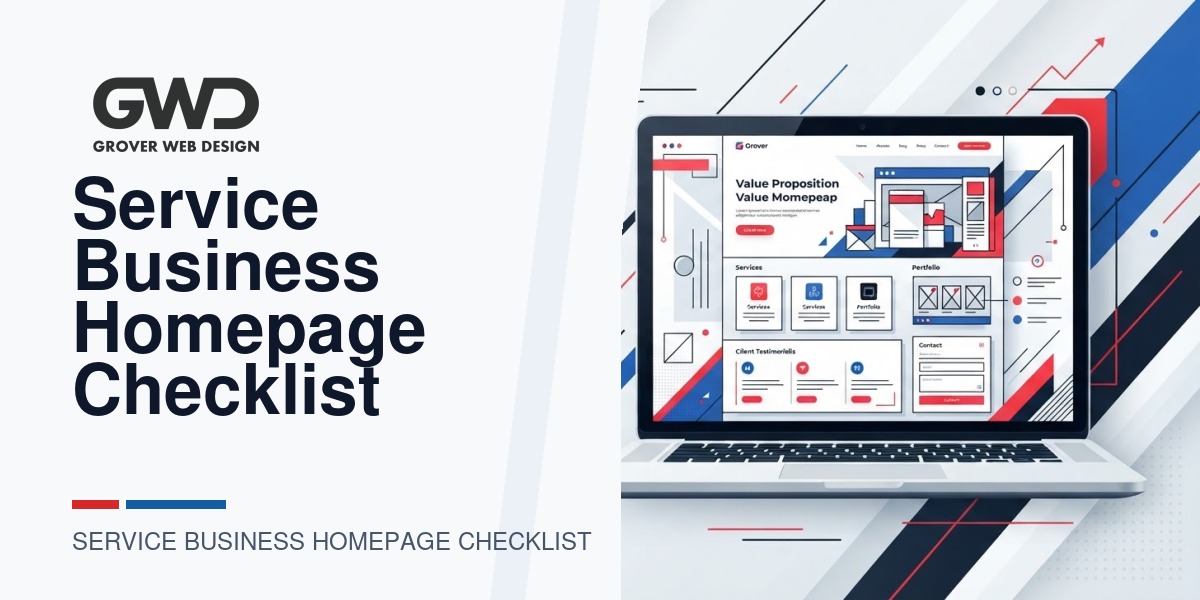
Homepage layout order (recommended)
Keep the top of the page focused. Below is a simple, proven order you can adapt:
- Top bar: phone number + secondary action (chat or booking link)
- Hero: value headline, subhead, primary CTA, short contact method
- Trust strip: rating, badges, one testimonial
- What we do: 3–4 service tiles with links
- How it works: 3-step process graphic
- Portfolio or proof block
- Short FAQ and lead capture
- Footer: address, service area, and required links (privacy, terms)
Small table: priority, goal, quick build time
| Section | Primary goal | Quick build time |
|---|---|---|
| Hero + CTA | Get the click or call | 1–3 hours |
| Contact methods | Reduce friction to contact | 30–60 minutes |
| Trust strip | Lower risk/objections | 30–90 minutes |
| Service tiles | Help visitors self-qualify | 1–2 hours |
Practical testing plan (first 30 days)
- Day 1: Publish MVP homepage with headline, CTA, contact methods, and one testimonial. Install analytics and event tracking for phone clicks and form submissions.
- Days 2–7: Check mobile layout and page speed; fix any broken form or CTA visibility issues.
- Weeks 2–4: Run two small A/B tests: CTA wording (e.g., “Get a Free Quote” vs “Call Now”) and hero image (photo vs simple graphic). Measure clicks and calls.
- Day 30: Review results, iterate on highest-performing copy and repeat.
Small experiments beat big redesigns. Try changes that are trackable and reversible.
When to add custom tools or a portal
Custom portals and tools can be a huge efficiency win—booking portals, client dashboards, or a simple query tool that generates mailing lists (for offline communications) are all valid uses. But beware feature creep. Our approach: build a small, tested tool that solves one workflow problem, then iterate. If your tool handles sensitive data or needs HIPAA compliance, get legal and technical architecture in place before collecting data.
WordPress-specific notes
- Keep plugins lean. Each plugin adds maintenance and security surface area.
- Use a well-maintained theme and child theme for custom styles so updates are smoother.
- Run periodic malware scans and automated backups. Malware incidents are increasing—an hourly backup cadence helps recover quickly.
- If you plan to experiment with AI content or features, start with small automation (e.g., draft FAQ suggestions) and review outputs manually. Avoid publishing unchecked AI-generated service claims.
Mini checklist you can copy/paste
- Headline communicates who we serve + main benefit
- Primary CTA visible in hero and in top bar
- Phone number tap-to-call on mobile
- One testimonial and one trust badge
- 3 service tiles linking to full service pages
- 3-step process summary
- Short lead capture (email or phone only)
- SSL, analytics, and call tracking installed
- Backups and malware scan active
- Accessibility and mobile test passed
Where Grover Web Design helps
If you need a homepage built or improved, we design fast, focused homepages that turn visitors into calls and booked jobs. We can implement compliant portals or simple custom tools to automate tasks like targeted mailings or customer list exports. Learn about our services:
- Grover Web Design — Services overview
- Custom web development — portals and tools
- SEO services — local and technical SEO
FAQs
How long should my homepage copy be?
Keep the hero short and scannable. Below the fold, 300–600 words is enough to explain services, process, and answer top objections. The goal is clarity, not verbosity.
Should I include pricing on the homepage?
It depends. If you offer standardized packages, list starting prices or ranges. If custom quoting is required, say “starting at” and offer a quick estimate flow to qualify leads.
How do I measure if the homepage is working?
Track phone clicks, contact form submissions, appointment bookings, and micro‑conversions like newsletter signups. Compare traffic to leads week-over-week and test variations in CTA or hero to improve conversion rate.
Is it OK to use AI to write my homepage?
AI can accelerate drafts, but always edit with your voice and double-check facts. Start with AI as a helper (headline ideas, FAQ drafts) and avoid publishing unchecked claims or inflated guarantees.
What security basics should a service business homepage have?
HTTPS, a hardened contact form (anti-spam + rate limits), daily backups, and a malware scanner are minimums. For portals or protected data, plan for encryption and compliance review.
Conversion and lead-handling practices you can add quickly
Beyond layout and SEO basics, how you handle a lead after they click or call often decides whether a homepage change actually increases revenue. These practical steps are low-effort and high-impact for service businesses.
Simple phone intake script (use for staff or voicemail)
Train staff to use a consistent, short intake: name, service needed, location, urgency, and preferred contact time. Example script for an initial call:
- “Thanks for calling. This is [Name] at [Business]. Who am I speaking with?”
- “Thanks, [First name]. What service can we help with today?”
- “Where is the job located?”
- “When do you need this done?”
- “Great — I can get you an estimate. Best number or email to reach you, and when’s a good time?”
- Wrap with a clear next step: “I’ll check availability and call you back within X hours.”
Lead qualification fields to capture (one-line form)
- Full name
- Phone (required) + best time to call
- Service type (dropdown)
- Address or ZIP
- Short note (optional)
Practical A/B test matrix (start with two-week tests)
Run simple, single-variable experiments and measure phone clicks and form submissions. Below is a starter table you can copy into a tracking doc.
| Test | Hypothesis | Primary metric | Suggested duration |
|---|---|---|---|
| CTA wording: “Get a Free Quote” vs “Call Now” | Action language changes click behavior | Phone clicks / form submits | 20 days or 200 visitors |
| Hero photo vs simple graphic | Photo builds trust; graphic reduces distraction | Click-to-call rate | 20 days |
| Short form (phone only) vs full form | Shorter form increases submissions | Form conversion rate | 2007 days |
Common homepage mistakes and quick fixes
- Overloaded hero: Too many CTAs or text. Fix: show one primary action and a single supporting sentence.
- Hidden contact info: Phone or booking buried below the fold. Fix: add a top bar or sticky header with tap-to-call.
- Slow resources: Large unoptimized images and third-party widgets. Fix: compress images and defer nonessential scripts.
- No measurement: No event tracking for calls or forms. Fix: add GA4 events and simple call-tracking numbers.
- Unclear service scope: Visitors unsure if you serve them. Fix: list service areas or ZIPs and add short service tiles.
Quick copy swipes by industry (one-line CTA examples)
Use concise, benefit-led CTAs and match the tone to the service: residential trades should be direct and reassuring; professional services can be slightly more formal.
- Home services (plumbing/electrical): “Schedule Same-Day Service”
- Legal / financial: “Request a 15‑min Consultation”
- Landscaping / exterior: “Get a Free Estimate”
- Contractors / remodeling: “See Project Pricing”
Implementing the intake script, one short form, and a simple A/B test plan will usually produce measurable improvement within 30 days. These items pair directly with homepage changes and let you prove ROI before a larger redesign.

Talk with Donny about service business homepage checklist.
Grover Web Design can review the opportunity, improve the page, and connect search visibility to a stronger lead path.