Custom Website Portal Planning Checklist for Growing Businesses
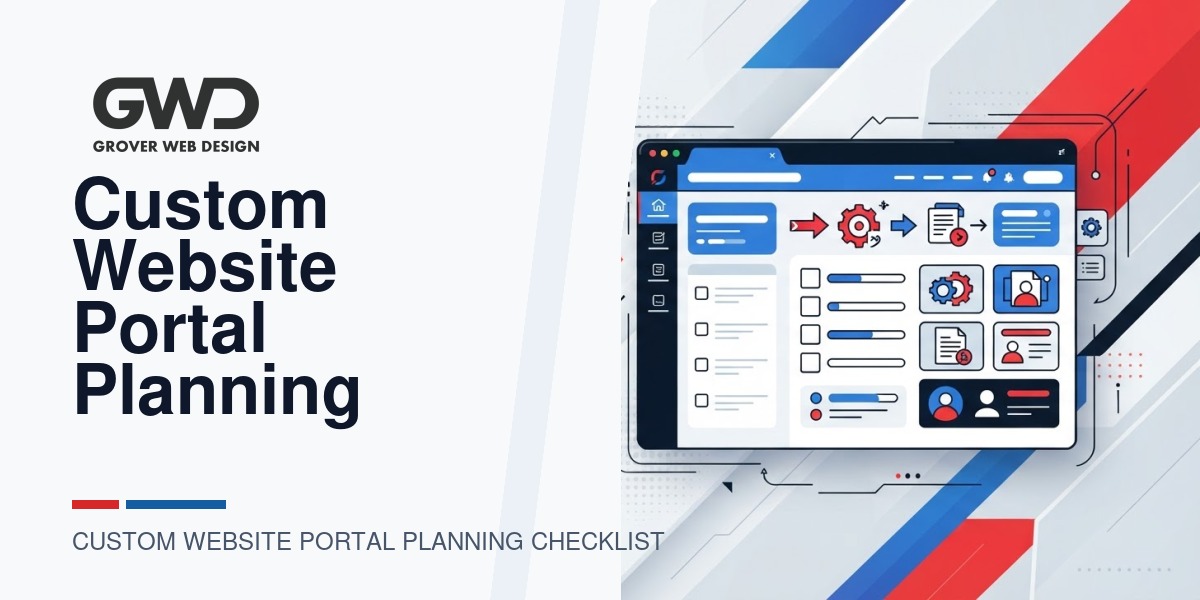
Building a custom website portal is a strategic decision — it can streamline workflows, reduce manual work, and create a better customer or employee experience. But without a clear plan, portals become expensive, late, or underused. This checklist gives business leaders a practical, vendor-ready plan to scope requirements, make tradeoffs, and pick the right development approach.
What we mean by “portal”
“Portal” covers a wide range of web apps connected to your website: client dashboards, partner logins, order management systems, intranets, quoting/configuration tools, or customer self‑service centers. Some portals live inside WordPress as custom plugins or single-page apps embedded in a site; others are standalone web applications with their own backend. This checklist helps you choose the right architecture and prepare a concise brief for a development partner.
Quick GWD point of view
Grover Web Design recommends starting with clear business objectives and the smallest viable scope that delivers value. We often convert spreadsheet workflows into portals, build product configurators that replace manual quoting, and integrate CRM/payments to close the loop on conversions. Our guiding tradeoffs: deliver early, protect data, and plan for maintainability so the portal becomes an asset — not a support burden.
Before you begin: clarify three objectives
- Primary business outcome — What measurable problem will the portal solve? (Save staff time, increase conversions, reduce errors.)
- Primary users — Who will use it daily? (Customers, partners, employees, or a mix.)
- Minimum usable feature set — What must work on day one vs. nice‑to‑have Phase 2 features?
The vendor-ready planning checklist (grouped by decision area)
1. Discovery & scope (Define success)
- List the core user types and the single primary job each user must complete in the portal.
- Capture 6–10 representative user stories (e.g., “As a field tech, I need to view assigned jobs and export a printable work order”).
- Define acceptance criteria for the top 3 workflows — how will you know they work?
- Decide Phase 1 vs Phase 2 features so you can deliver incrementally.
2. Data sources & integrations
- Inventory systems that must connect: CRM, ERP, accounting (QuickBooks), payment gateway, calendar, shipping, or SFTP file drops.
- For each integration, note whether an API exists or if the connection will require file imports (CSV/SFTP) or middleware.
- List any data migration needs (spreadsheets, legacy databases). Include sample files for developers.
- Decide how real‑time the data must be — immediate, hourly sync, or nightly batch?
3. Authentication, access control & compliance
- Authentication method: email/password, SSO (Okta, Azure AD, Google Workspace), or magic link?
- Role matrix: define roles and permissions (who can view, edit, approve, export).
- Compliance requirements: HIPAA, PCI, GDPR — specify any regulated data and vendor obligations.
- Multi-factor authentication (MFA) needed for admins?
4. UX, workflows & UI requirements
- Sketch primary screens or wireframes for the main workflows (list view, detail view, create/edit form, reports).
- Specify offline or print needs (PDF letters, printable packing slips, export CSV).
- Outline performance expectations for lists and search (e.g., thousands of records).
- Accessibility requirements (WCAG level) if important to contracts or users.
5. Security, data retention & backups
- Define data retention policy and deletion rules for personal data.
- Decide backup cadence and recovery point objective (RPO) and recovery time objective (RTO) expectations.
- Encryption needs in transit and at rest; consider a separate database encryption requirement for sensitive data.
- Audit logging requirements (who changed what and when).
6. Technical architecture & hosting
- Will the portal live inside your WordPress site, or be a separate app and domain? (See the decision table below.)
- Hosting constraints: must it be on managed WordPress hosting, a VPS, or container/cloud platform?
- Plan for scalability: expected concurrent users and traffic spikes (e.g., scheduled batch jobs, monthly reports).
- Monitoring and error reporting: which tools will you use for uptime, logs, and alerts?
7. Payments, forms & transactional emails
- Payment types (credit card via Stripe, ACH, or invoicing) and how you’ll handle failed payments or reconciliation.
- Form validation, anti‑spam measures, and file upload size/format limits.
- Transactional email templates, bounce handling, and provider (SendGrid, Mailgun, SES).
8. Testing, QA & launch
- Define a staging environment and a production environment; require a sign‑off process for releases.
- List acceptance tests and user acceptance testing (UAT) participants.
- Plan rollback and data‑migration backups before launch.
- Document support hours and SLAs for post-launch bugs and incident response.
9. Maintenance, analytics & ROI tracking
- Decide who will own ongoing maintenance: internal team, retained agency, or hybrid.
- Capture the KPIs you’ll track (time saved per task, reduction in manual errors, new revenue attributed).
- Plan for a maintenance retainer or hosting/patching plan to keep dependencies and security patches current.
Decision table: WordPress plugin vs standalone app vs SaaS integration
| When to choose | Pros | Cons / tradeoffs |
|---|---|---|
| WordPress (custom plugin or SPA embedded) | Tighter UX continuity with site, simpler auth for existing users, lower perceived cost for small scopes. | Can increase WordPress maintenance complexity and security surface; not ideal for heavy background processing or very large datasets. |
| Standalone web app (separate backend & domain) | Better for heavy processing, strict security boundaries, or when different teams own the portal. | Higher initial cost and requires cross‑domain integrations; separate deployment and hosting to manage. |
| SaaS + configuration or integration | Faster to launch, lower development cost, many enterprise capabilities out of the box. | Ongoing subscription fees and limited customizability; may require middleware for tailored workflows. |
Must‑ask questions when evaluating an agency or developer
- Can you show similar portals or anonymized examples of process automation work?
- How will you handle integrations and what information do you need to estimate effort?
- What hosting, backup, and security practices do you require for production systems?
- How do you manage change requests and scope creep? What are your change-order practices?
- What are the ongoing maintenance options and estimated monthly retainer ranges?
Practical red flags
- Lack of examples: vendor can’t show similar work or explain tradeoffs.
- No plan for data migration or backups in the proposal.
- Price-only comparisons without acceptance criteria, timelines, or post-launch support.
Example handoff checklist for the first development sprint
- Signed scope document with Phase 1 acceptance criteria.
- User stories and wireframes for the three highest‑priority workflows.
- Representative data sample files and API credentials (test environment) for required integrations.
- Defined roles and test user accounts for QA.
- Staging URL, deployment plan, and scheduled UAT window.
How Grover Web Design helps (brief)
If you need a partner to move from spreadsheets or fragmented tools into a working portal, GWD offers scoped custom development, integration work, and post‑launch maintenance. We help clients prioritize Phase 1 features so a portal starts returning value quickly, then iterate on additional automation. Learn about our core offerings on our services page or explore our custom development work for similar projects:
- Grover Web Design — Services
- Custom web development
- SEO services (integrating portal analytics with site SEO and conversion tracking)
Frequently asked questions
How long does a typical portal project take?
Timeline depends on scope. Small portals that replace a few spreadsheets can launch in a matter of weeks; larger systems with multiple integrations take several months. Use the checklist above to define Phase 1 features and ask vendors for a timeboxed sprint plan.
How should I estimate budget?
Budgeting is scope-driven. Focus on the minimum viable features that unlock value. Ask your vendor for fixed‑price Phase 1 options plus time-and-materials estimates for Phase 2 so you control spend while delivering outcomes.
Should I build the portal inside WordPress?
Use WordPress for lightweight portals closely tied to your marketing site or when speed-to-market matters and user counts are moderate. Choose a standalone app when security separation, high concurrency, or heavy background processing is required. Refer to the decision table above for tradeoffs.
Do I need to plan for ongoing maintenance?
Yes. Custom portals rely on third-party APIs, platform updates, and security patches. Plan a maintenance retainer or internal headcount to keep the system reliable and secure.
Next steps: prepare a short brief
Use this simple brief template to contact vendors: 1) one-paragraph business outcome, 2) three must-have workflows, 3) list of integrations and sample data sources, 4) any legal/compliance constraints, and 5) desired timeline for Phase 1. Sharing this with prospective agencies will produce better proposals and clearer estimates.
Implementation timeline, sprints, and deliverables
After you sign a Phase 1 scope, convert the top acceptance criteria into a timeboxed sprint plan. A clear sprint schedule helps vendors give fixed-price options for early milestones and gives you predictable checkpoints for acceptance, budget control, and stakeholder feedback.
Sample 6–8 week sprint plan (example deliverables)
| Week | Focus | Deliverables |
|---|---|---|
| Weeks 1–2 | Discovery & wireframes | Finalized user stories, wireframes for top 3 workflows, staging environment provisioned |
| Weeks 3–4 | Core functionality build | Authentication, primary CRUD workflows, first integration (test mode) |
| Week 5 | Integrations & QA | Remaining integrations, automated tests, security checklist run |
| Week 6 | UAT & launch prep | UAT fixes, deployment plan, rollback steps, post-launch monitoring configured |
Adjust the length depending on integrations, compliance needs, and data migration complexity. Require a weekly status report and a short demo at the end of each sprint to reduce scope creep.
Budgeting: pricing models and scope levers
Rather than only asking “how much,” focus vendor conversations on pricing models and the knobs that change cost:
- Fixed-price Phase 1: Good when scope is well-defined (wireframes + acceptance criteria). Limits risk for the client but requires clear change-order rules.
- Time & materials: Flexible for discovery-heavy work or when integrations are uncertain. Require regular burn-rate updates and weekly demos.
- Hybrid: Fixed price for core workflows + T&M for integrations and Phase 2 features.
Scope levers that materially change cost: number of integrations, required SLAs and uptime, concurrency/performance expectations, and compliance (e.g., PCI/HIPAA adds costs for hosting and audits).
Pre-launch security & compliance checklist (action items)
- Run a credential audit: remove unused accounts, rotate integration keys, and confirm least-privilege permissions.
- Confirm network/hosting controls: firewall rules, private subnets for databases, and secure backup storage.
- API and input hardening: validate & sanitize inputs, rate-limit endpoints, and verify CORS and CSRF protections.
- Perform an automated vulnerability scan and remediate high/critical findings before production deploy.
- Document data flows and maintain a data map for any personal or regulated data subject to retention or deletion rules.
Post-launch metrics and reporting: what a useful dashboard shows
Plan an initial dashboard so the portal’s value is visible to stakeholders. Include at least one operational metric, one business KPI, and one reliability metric:
- Operational: average task completion time, daily active users by role, queue length for pending approvals.
- Business: conversions attributed to portal workflows, time saved per task vs baseline, revenue or invoices processed through the portal.
- Reliability: uptime percentage, failed job rate (background processing), mean time to recovery for incidents.
Quick contingency & handoff notes for clients
Before final acceptance, ask your vendor to hand over: deployment keys and runbooks, a migration-ready export of sample production data, and a short runbook describing incident response steps. Require a 30-day support window post-launch for critical fixes and a documented change-order process for future work.

Talk with Donny about your development project.
Bring your goals, existing systems, and biggest bottleneck. GWD can help clarify scope, integration needs, and the right next step before you commission development.